 Khyati Sharma 2026-11-10
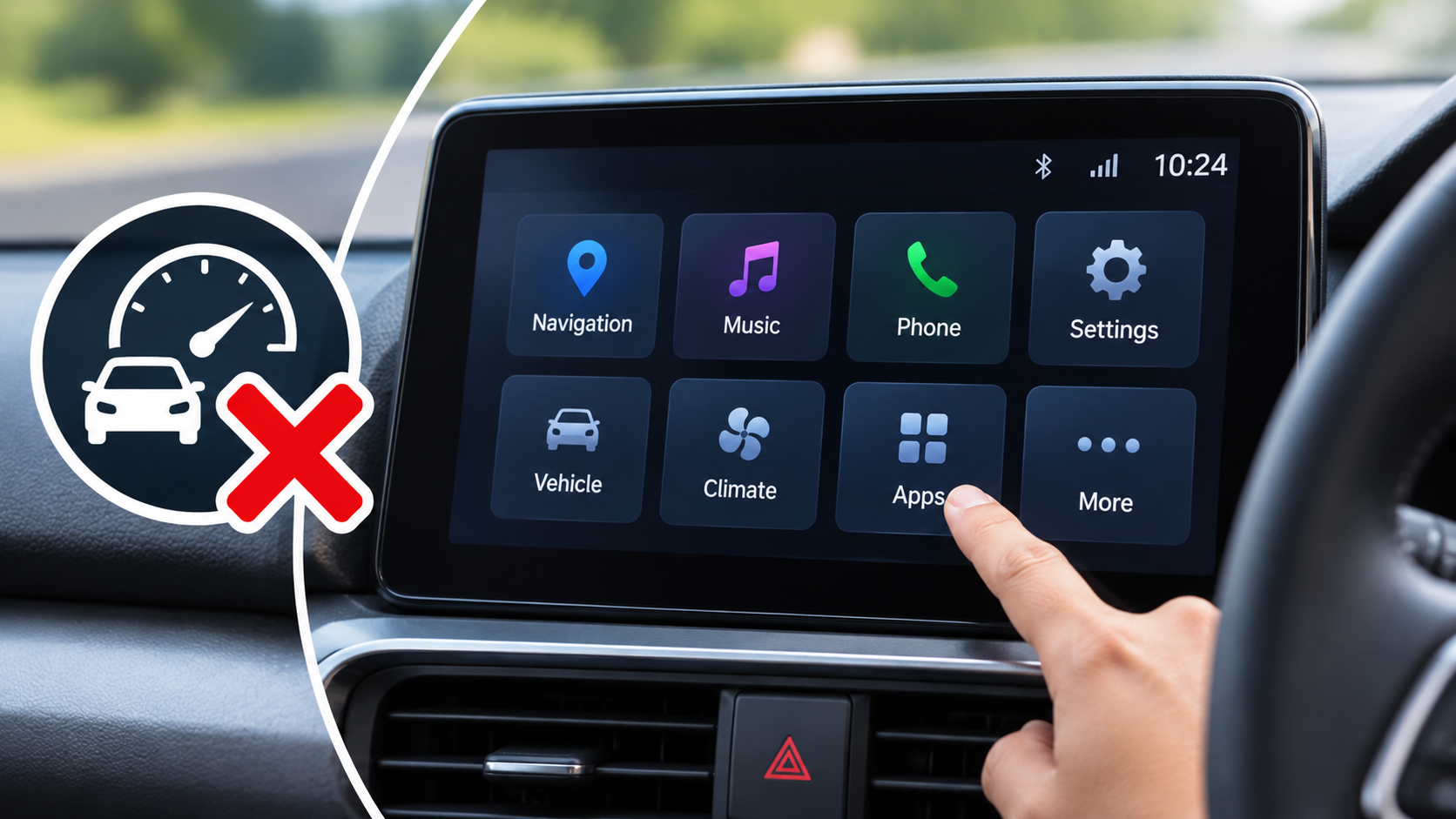
Modern cars are becoming increasingly technology-focused, with touchscreen infotainment systems replacing many traditional physical buttons and controls. From navigation and music streaming to climate settings, vehicle information and smartphone connectivity, today's infotainment systems offer a wide range of features. Manufacturers often promote larger displays, advanced interfaces and additional functions as major selling points.
However, having more features does not necessarily make a touchscreen easier or safer to use while driving. In some vehicles, drivers must navigate multiple menus, press several on-screen buttons or look away from the road to perform simple tasks. This can make even basic operations unnecessarily complicated.
A well-designed infotainment system should make driving more convenient rather than create additional distractions. Screen size, menu layout, button placement, response time and voice-control support all play important roles in determining how easy a system is to operate.
New Car Delivery Day: What to Check Before You Drive Off
The automotive industry has moved towards digital technology to improve convenience, connectivity and the overall driving experience.
Earlier vehicles generally used physical buttons, rotary knobs and basic audio systems. Drivers could operate most functions without looking away from the road for extended periods.
Modern infotainment systems combine several functions into a single display. Depending on the vehicle, drivers may be able to control:
Music and audio settings.
Navigation and maps.
Bluetooth connectivity.
Android Auto and Apple CarPlay.
Air-conditioning settings.
Vehicle information and driving statistics.
Parking camera displays.
Connected car services.
Ambient lighting.
Seat ventilation and heating.
Vehicle customisation settings.
These features can be useful, but placing too many functions inside a touchscreen can make the interface complicated.
For example, adjusting the cabin temperature may require opening a climate menu, selecting a setting and returning to the previous screen. In a vehicle with physical climate controls, the same operation may require just one turn of a knob.
This difference highlights why functionality and usability are not the same thing.
One of the biggest disadvantages of feature-heavy infotainment systems is complicated menu navigation.
Some manufacturers place multiple functions under different menu categories. Drivers may need to move between several screens to find a particular setting.
For example, changing the audio source might involve opening the entertainment menu, selecting the source option and then choosing Bluetooth or radio.
Similarly, adjusting vehicle settings may require navigating through multiple submenus.
This can increase the time a driver spends looking at the display instead of concentrating on traffic.
A simpler interface with clearly labelled options can make everyday operations easier.
The best infotainment systems organise frequently used features on the home screen and keep less important settings in secondary menus.

Although touchscreens offer flexibility, physical controls still have important advantages.
A traditional volume knob, climate control dial or steering-mounted button can often be operated without looking directly at it.
Drivers can develop muscle memory for these controls, allowing them to perform basic adjustments with minimal visual attention.
Touchscreens do not always offer the same convenience because users generally need to identify the correct on-screen control before pressing it.
This becomes particularly challenging when driving over uneven roads, where vehicle movement can make precise touchscreen operation more difficult.
For this reason, physical controls for essential functions such as volume, temperature, hazard lights and demisting can improve everyday usability.
New Car Dealer Negotiation Tips That Actually Work
Large infotainment displays have become common in modern cars.
Some vehicles feature screens measuring more than 10 inches, while premium models may offer even larger displays.
A bigger screen can make navigation maps, camera images and other information easier to view. However, screen size alone does not determine how convenient the system is.
A large display with poorly organised menus may be more difficult to use than a smaller screen with a simple layout.
Other important factors include:
Text size and readability.
Clear icons and labels.
Screen brightness.
Touchscreen response time.
Menu organisation.
Glare resistance.
Placement within the driver's natural field of view.
A well-designed smaller display can provide a better experience than a larger screen filled with unnecessary information.
Response time is another important factor in infotainment usability.
A touchscreen should respond quickly when the driver selects an option. Delayed responses, frozen displays and slow menu transitions can make even simple operations frustrating.
For example, if the driver presses the navigation icon and the system takes several seconds to open, it can create unnecessary inconvenience.
Some vehicles also experience delays when connecting smartphones through wireless Android Auto or Apple CarPlay.
These problems may result from software performance, hardware limitations, connectivity issues or system updates.
Before purchasing a vehicle, buyers should test the infotainment system personally. They should check how quickly the display responds, whether menus open smoothly and whether smartphone connectivity works reliably.

Driver distraction is one of the most important concerns associated with complicated infotainment systems.
Operating a touchscreen can involve visual, manual and cognitive distraction.
Visual distraction occurs when the driver looks away from the road. Manual distraction happens when a hand is removed from the steering wheel to operate the display. Cognitive distraction occurs when the driver concentrates on understanding or navigating the interface.
A complicated touchscreen can involve all three.
For example, searching through multiple menus to change an audio setting may require the driver to look at the screen, move a hand towards it and think about which option to select.
This can reduce attention to surrounding traffic.
Drivers should always prioritise road conditions and avoid performing complicated touchscreen operations while moving. Navigation destinations, entertainment selections and other settings should preferably be configured before starting a journey or when safely parked.
How to Get the Best Discount on a New Car in India
Voice-control technology can reduce the need to interact physically with the touchscreen.
Depending on the vehicle and connected services, drivers may be able to use voice commands for:
Making telephone calls.
Selecting music.
Setting navigation destinations.
Adjusting certain vehicle settings.
Reading messages.
Accessing digital assistants.
Voice commands can make frequently used functions more convenient, particularly when the system understands natural language.
However, voice recognition is not always perfect.
Background noise, accents, poor internet connectivity and unclear instructions can affect performance.
Drivers should also remember that voice commands are not completely distraction-free. Complex conversations with a digital assistant can still demand attention.
Android Auto and Apple CarPlay have become important features for many car buyers.
These systems allow compatible smartphones to connect with the vehicle's infotainment display.
Drivers can access supported navigation applications, music services, telephone functions and messaging features through a familiar interface.
For many users, reliable smartphone connectivity is more valuable than dozens of additional built-in applications.
However, compatibility, connection stability and response speed should be checked before purchasing a car.
Wireless connectivity provides additional convenience, but a reliable wired connection can also be useful when wireless performance is inconsistent.
The following table explains how different infotainment features can affect everyday driving convenience.
|
Infotainment Feature |
Main Advantage |
Possible Disadvantage |
|
Large Touchscreen |
Better visibility of maps and information |
Can contain complicated menus |
|
Physical Buttons |
Easy to operate by touch |
Limited customisation |
|
Voice Control |
Reduces manual screen interaction |
May misunderstand commands |
|
Wireless Android Auto |
Convenient smartphone connectivity |
Can experience connection issues |
|
Apple CarPlay |
Access to supported smartphone apps |
Requires compatible devices |
|
Touchscreen Climate Control |
Combines multiple settings in one place |
Can be difficult to adjust while driving |
|
Steering-Mounted Controls |
Convenient access to frequently used functions |
Limited number of available controls |
|
360-Degree Camera Display |
Helps with parking visibility |
Requires clear and responsive display |
Climate control is one area where touchscreen-heavy interiors can create unnecessary complications.
In older vehicles, drivers could adjust fan speed, temperature and airflow direction using physical knobs.
In some modern vehicles, these functions are integrated into the infotainment screen.
This may create additional steps for operations that drivers frequently perform.
For example, changing the fan speed may require opening a climate menu, selecting the appropriate control and adjusting the setting.
Physical controls are generally more convenient for frequently used functions because they can often be operated without searching through menus.
This does not mean touchscreen climate controls are always inconvenient. Their usability depends on screen layout, menu accessibility and the quality of the interface.
A Short Drive Fully Recharges a Completely Flat Car Battery – Myth or Fact?
Car buyers should evaluate the infotainment system during a test drive rather than judging it only by the specifications sheet.
Here are some important things to check:
Menu Simplicity: Check whether frequently used features are easy to find.
Touchscreen Response: Open different menus and observe whether the display responds quickly.
Physical Controls: Check whether important functions have dedicated buttons or rotary controls.
Smartphone Connectivity: Test Android Auto or Apple CarPlay with a compatible smartphone.
Screen Visibility: Check whether the display remains readable in bright sunlight.
Voice Recognition: Try basic voice commands and see whether the system understands them correctly.
Navigation: Check whether maps load quickly and provide clear directions.
Software Stability: Look for freezing, unexpected restarts or connectivity interruptions.
A short test drive can reveal practical usability problems that are not visible in promotional photographs or feature lists.

A good infotainment system is not necessarily the one with the most features. It is the one that allows drivers and passengers to access useful functions easily.
An ideal system should have a clean home screen, clearly labelled menus and quick response times.
Frequently used functions should be accessible without navigating through several screens.
Important driving-related controls should ideally remain available through physical buttons, steering-mounted controls or simple voice commands.
The system should also provide reliable smartphone connectivity and clear navigation information.
Manufacturers should focus on making technology useful rather than adding features simply to increase the specifications list.
How to Compare Car Variants: Base vs Mid vs Top Trim
A touchscreen with more features is not always easier to use while driving. Although advanced infotainment systems offer navigation, entertainment, climate settings and smartphone connectivity, excessive menus and complicated controls can make everyday operations difficult.
Large displays, additional applications and digital controls may look impressive, but their real value depends on how effectively they improve the driving experience.
For car buyers, the best approach is to evaluate infotainment usability rather than focusing only on screen size or the number of available features.
A well-designed system should offer quick access to essential functions, reliable connectivity, responsive controls and a simple interface. Physical buttons for frequently used operations can also improve convenience.